Manage Raffle Tickets with Ease
Follow these steps to set up your raffle’s tickets.
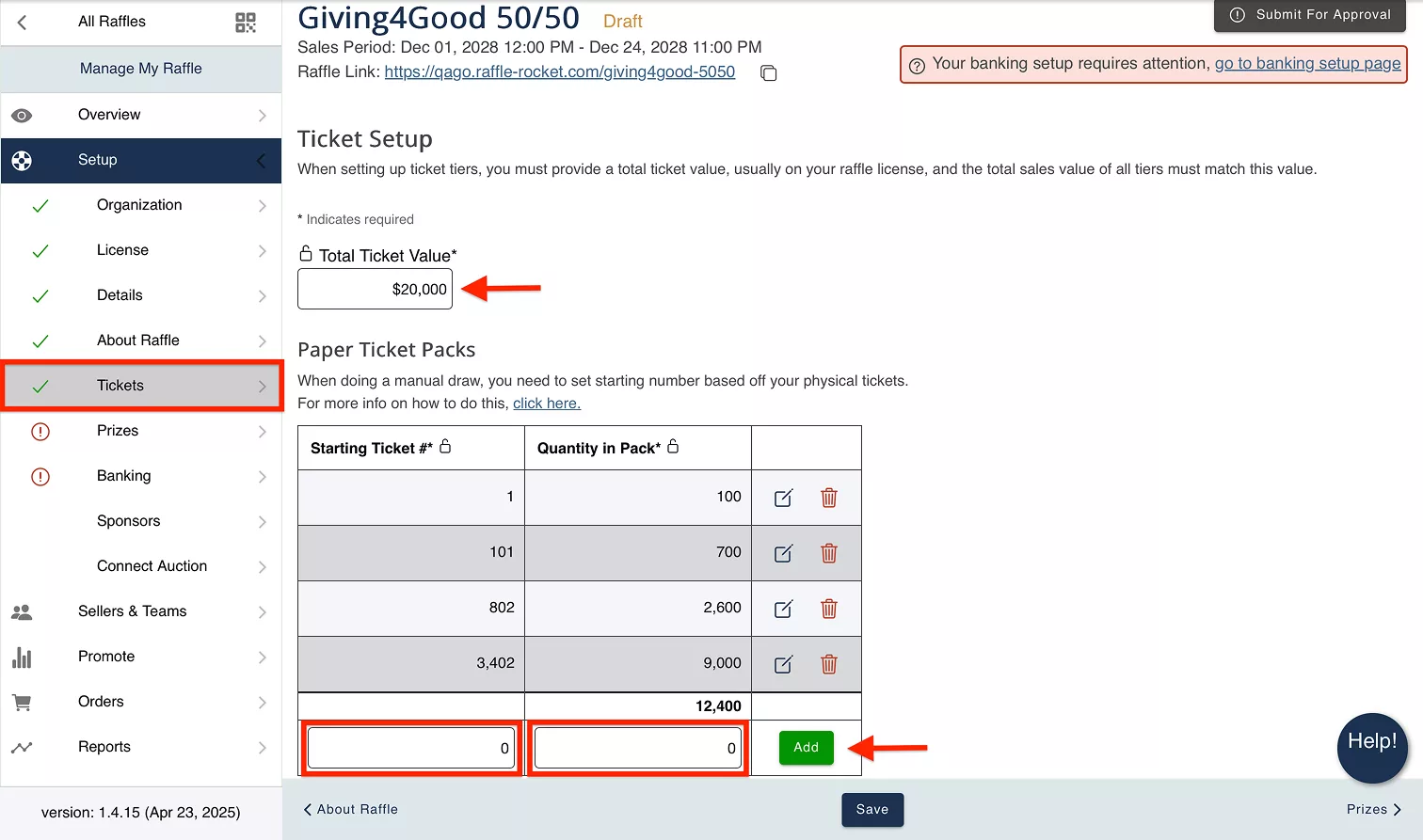
In your raffle dashboard, go to the navigation pane on the left side of your screen. Under Setup, select Tickets.
Before You Begin
Your ticket setup in Raffle Rocket MUST match the details outlined in your raffle license. This includes your Total Ticket Value (TTV), ticket tiers, ticket prices, and the total number of tickets available.
Total Ticket Value (TTV): This is the value of total sales for your entire raffle and is usually determined by your raffle license.
Don’t have your raffle license yet? If you’re not sure what ticket tier structure would work best for your raffle, check out our Ideal Ticket Tier Distribution Guide before applying for your license.
Note for Saskatchewan raffles: Your Total Ticket Value (TTV) and total number of tickets must be equal to or less than the values outlined on your raffle license. They cannot exceed the licensed amounts. Saskatchewan licenses may list the ticket tiers you are approved to offer, but not the exact number of units available for each tier. In this case, you can configure the units available for each approved tier as needed, as long as your final Total Ticket Value and Total # of Tickets remain within the licensed limits.
Setting Up Ticket Tiers
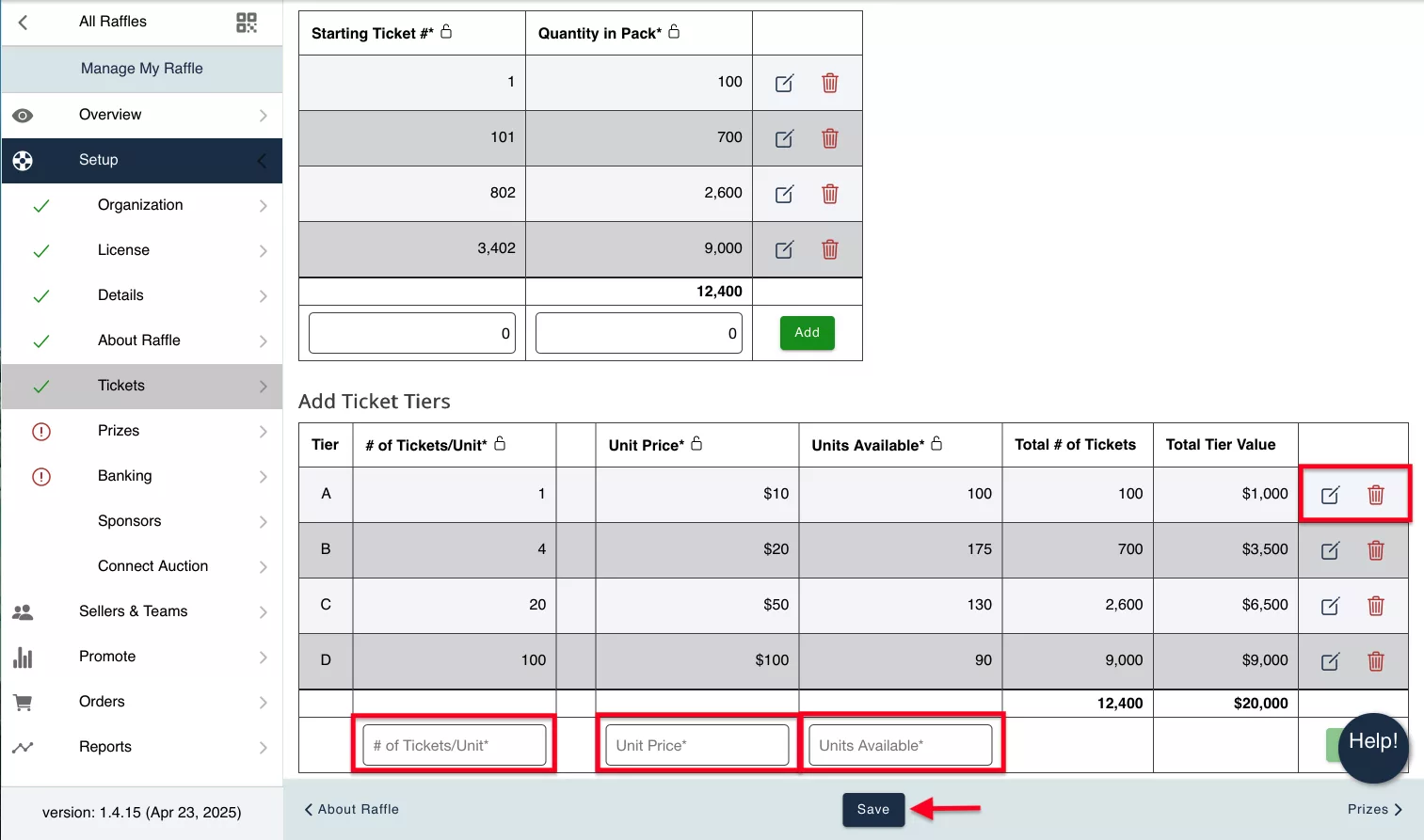
Ticket Tiers: Create up to 10 tiers of tickets. Keep in mind that the ticket tiers you create in Raffle Rocket MUST match your raffle license.
To create a new ticket tier:
- Enter a value for # of Tickets/Unit to determine how many tickets a purchaser receives
- Set a Unit Price
- Enter the number of Units Available
- Total # of Tickets is automatically calculated by the following: # of Tickets/Unit multiplied by Units Available
- Total Tier Value is automatically calculated by the following: Unit Price multiplied by Total # of Tickets
- Confirm everything is entered correctly, and then click the Add button
IMPORTANT: Grand totals for Total # of Tickets and Total Tier Value are calculated below the existing tiers. Be sure that these values match the totals outlined in your Raffle License.
Online Draw Ticket Setup
For online draws, you will only need to enter your Total Ticket Value (TTV) and create your ticket tiers using the steps above.
Once your ticket tiers have been added, review the grand totals for Total # of Tickets and Total Tier Value to confirm they match the totals outlined in your raffle license.

Offline/Manual Draw Ticket Setup
For offline/manual draws, use Paper Ticket Packs to track your physical tickets in Raffle Rocket.
Paper Ticket Packs: enter the Starting Ticket # and Quantity in Pack, then click the Add button
After your paper ticket packs have been added, set up your ticket tiers using the steps outlined above. Then review your grand totals to confirm they match your raffle license.